Organization
Describe the business organization within Kabeen
This is the first configuration step for Kabeen once your workspace is created.
(see Create your workspace)
Your organization's information system serves different activities that are organized within teams.
Through Kabeen, we want to help you understand and monitor your IS from a business perspective, and the reports offered (Dashboards and reports) are built around the concept of teams.
Modeling the Organization
In Kabeen's "Organization" menu, you will be able to create two types of elements: Teams and Team Groups.
These two elements are organized in a tree structure to allow you to reproduce your organization's chart.
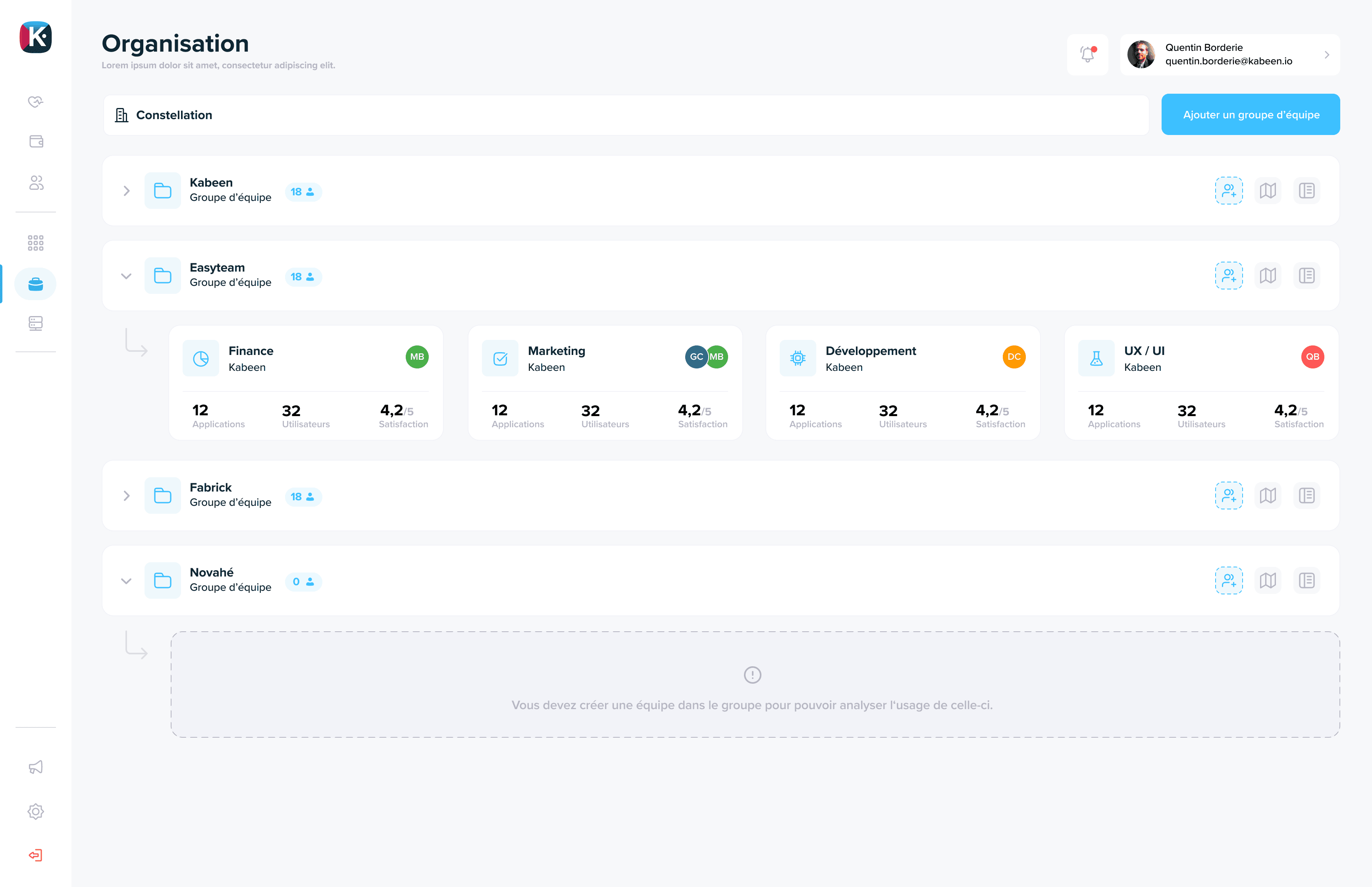
Here are some organization examples we suggest:
Corporate Group Organization
- Team Group: Legal Entity #1
- Team: Team 1
- Team: Team 2
- Team Group: Legal Entity #2
- Team: Team 1
- Team: ...
International Organization
- Team Group: EMEA Region
- Team: Brand 1
- Team: Brand 2
- Team Group: APAC Region
- Team: Brand 1
- Team: ...